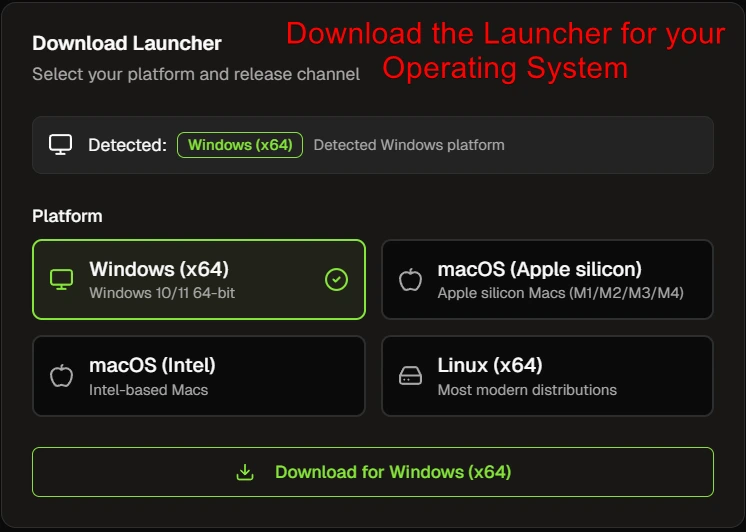
Click "Download" for your Operating System, it should auto select the correct one
Step 2
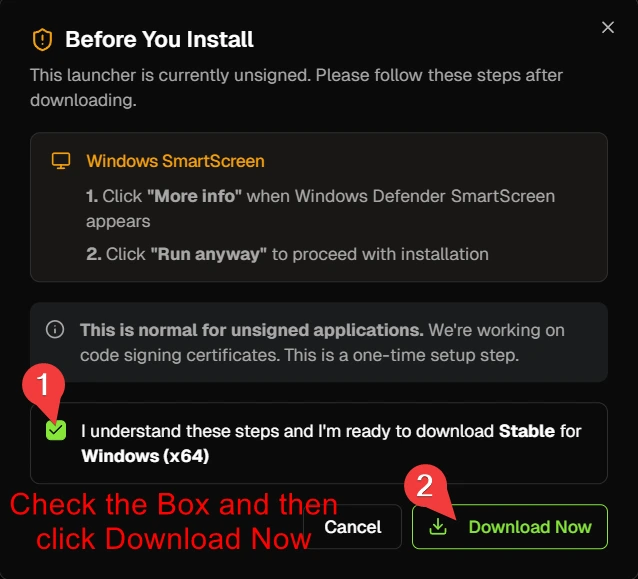
Check the box and then click "Download Now"
Step 3
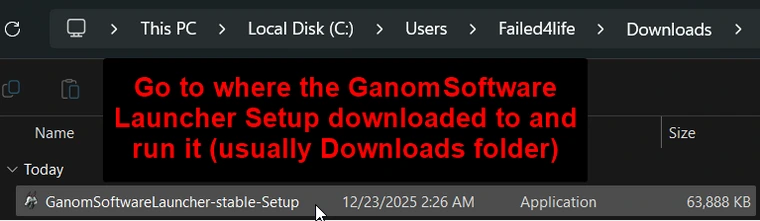
Go to where the GanomSoftware Laucher Setup file downloaded, usually the Downloads folder, and run it
Step 4
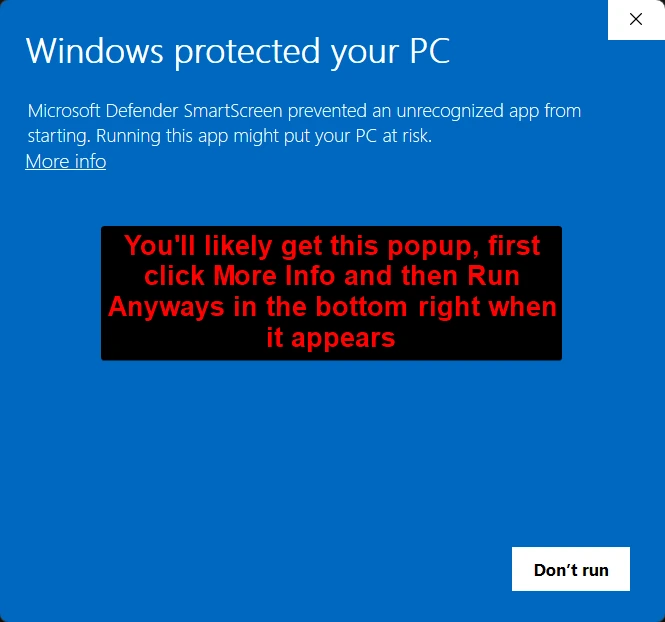
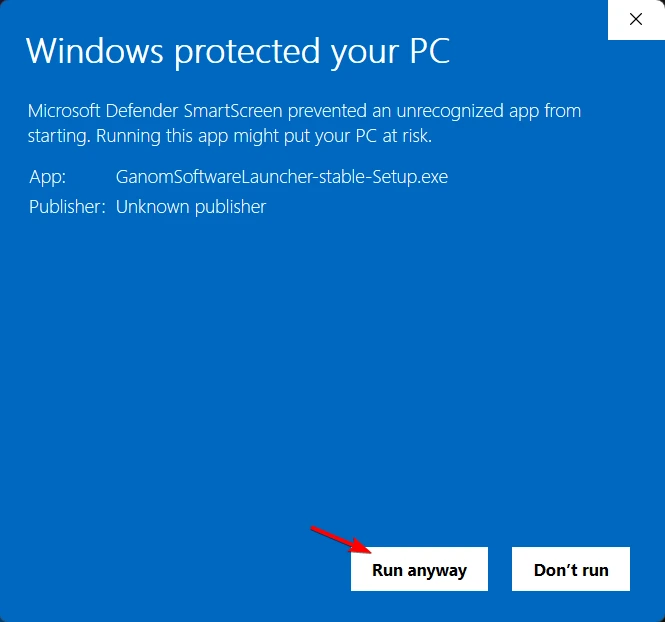
When you try to run the GanomSoftware Launcher Setup file, you'll get this popup. Click "More Info" and then in the bottom right, click "Run anyways" after it appears
Step 4.5
This is a continuation of Step 4, click "Run anyways" and the GanomSoftware Launcher will install
Step 5
After you've installed the GanomSoftware Launcher and it opens, click the "Sign in" button and login with your Discord account that you've purchased with
Step 6
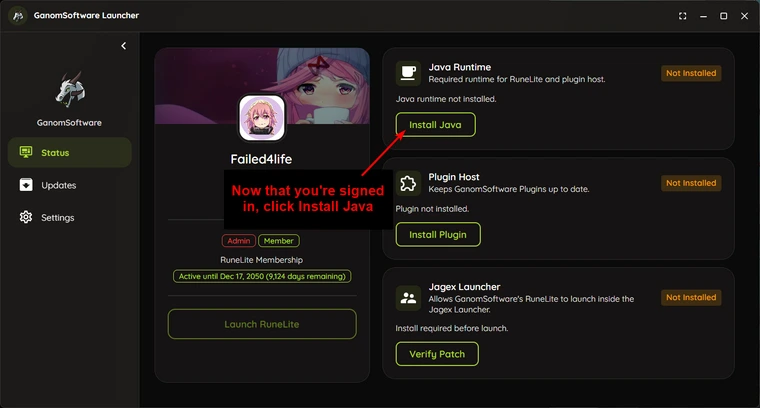
Once you're logged in, click the Install Java button to install Java 11. Java 11 is required to use our RuneLite plugins
Step 7
Next, click the "Install Plugin" button to install our GanomSoftware plugins
Step 8 (Jagex Launcher/Optional)
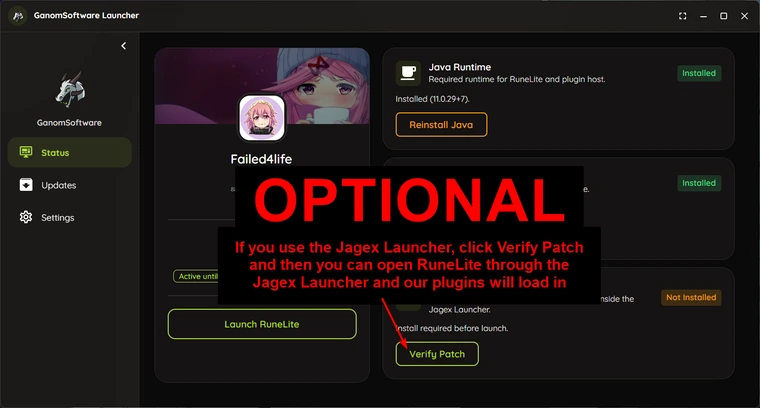
This step is Optional, if you use the Jagex Launcher, click "Verify Patch" to make our plugins work with the Jagex Launcher. Then you can open RuneLite through the Jagex Launcher as normal and our plugins will load in!
Note: If you get an error, or your RuneLite client does not open, when trying to open it through the Jagex Launcher, simply reinstall RuneLite from runelite.net and press the "Verify Patch/Reverify Patch" button again and it will resolve the issue!
Step 8.5 (No Jagex Launcher/Optional)
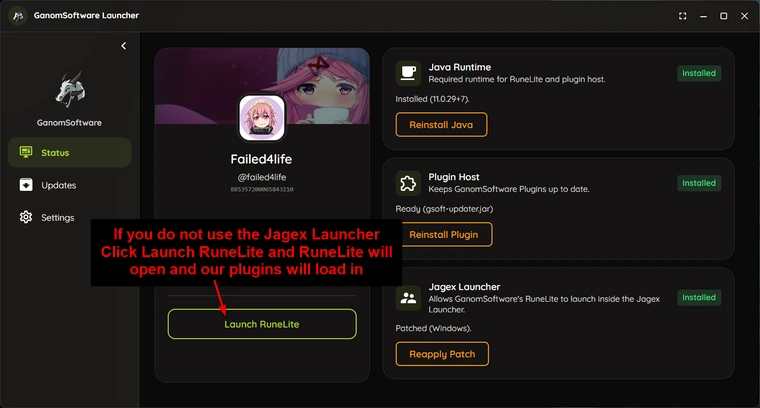
If you do not use the Jagex Launcher, click the "Launch RuneLite" button to open RuneLite and our Plugins will load in
Step 9 (Done/Optional)
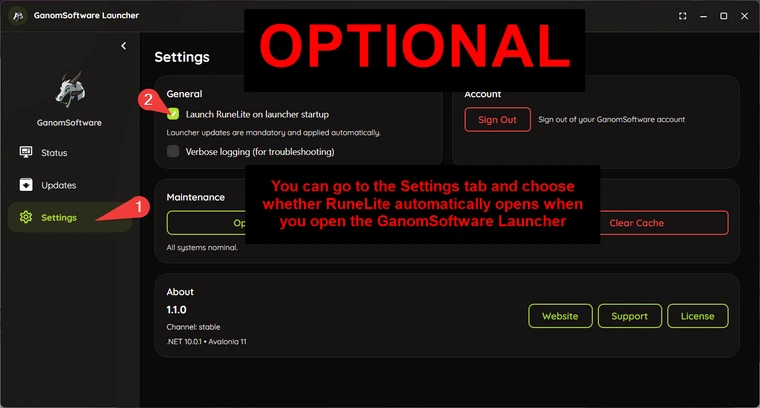
After the first setup, by default, RuneLite will automatically open when you open the GanomSoftware Launcher. If you do not want this, you can go into the Settings tab on the Left and then uncheck "Launch RuneLite on launcher startup". If you use the Jagex Launcher to play, I'd definitely recommend turning this setting off



No comments to display
No comments to display