
Picture Install Guide (6 Easy Steps)
Step ZERO
Before we get started - make sure you have Java 11 installed, which is required to run our gsoft-updater-rl.jar file and the jarfile version of RuneLite. Also, if you have any higher versions installed, it will cause issues. We recommend going to your Installed Apps/Programs on your PC and uninstalling all versions of Java prior to continuing.You can download the correct version of Java 11 for your OS using the links below:
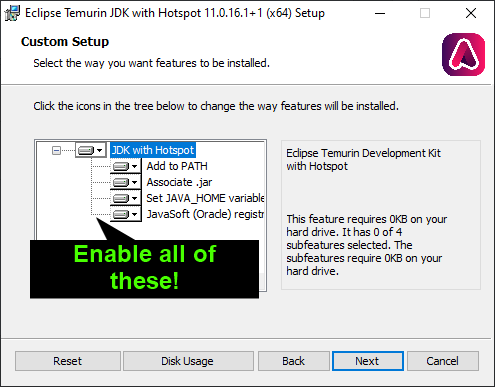
Step 1
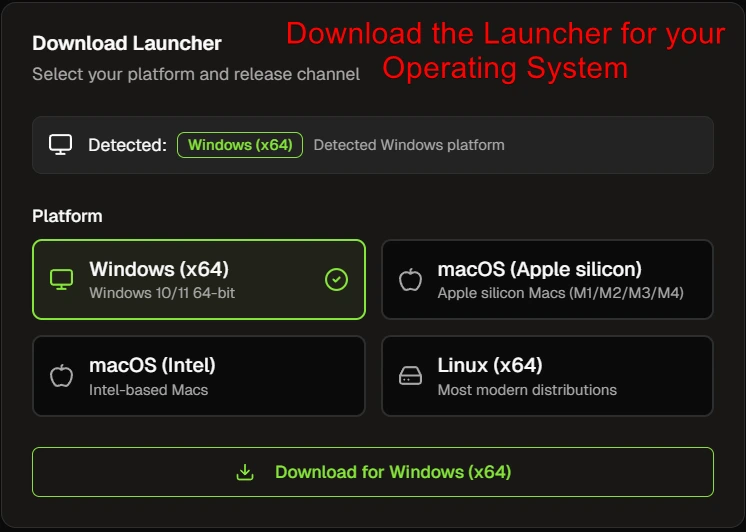
- Visit https://ganomsoftware.com/
app/dashboard/launcher and sign in with the Discord account that you purchased with. - Click "
DownloadDownload"Runelite"fortoyourdownloadOperatingtheSystem,Runeliteitpackageshould- auto
If you cannot see the download button, make sure you are signed intoselect the correctDiscord account. It will show your account in the "Welcome Back" box as well as upper right corner of the screen.
Step 2
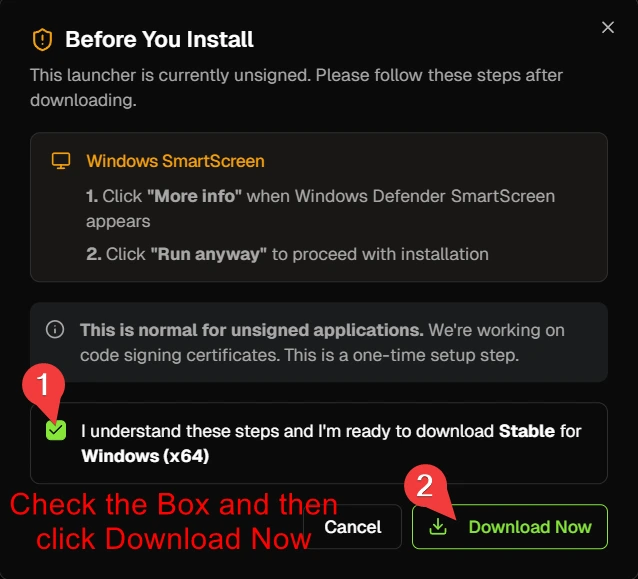
After clickingCheck the box and then click "DownloadRunelite" button on the website dashboard, you will get a zipped folder named "Runelite-Release"Open the "Runelite-Release" folder and click the "Extract all" button near the top. You will get a popup, click ExtactYour screen may look different depending on what program you're using to manage .zip files (Windows built-in, Winrar, 7zip). They're all the same, just find the Extract button and extract them to their own folderNow"
Step 3
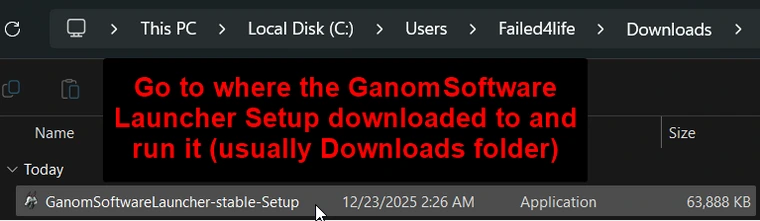
AfterGoextractingto where thefiles,GanomSoftwareopenLaucher Setup file downloaded, usually thenewlyDownloadscreatedfolder,"Runelite-Release"andfolder. Inside, you'll find a handful of different files.Java 11 is required, so be sure to downloadrun itfrom the links above, alternatively you can type.javain the Support Discord server for the download links. If you have any higher versions of Java installed, it will cause issues!Double click the "gsoft-Updater-RL" file. You should get a popup saying the plugins were installed. Then, double click the "RuneLite" file to launch your client. You will need to use the RuneLite client we provide to access the plugins!The Jagex Launcher is supported, you can find the guide for that in our Support Discord serverhere- you must be in the server with the Runelite role to access the link
Step 4
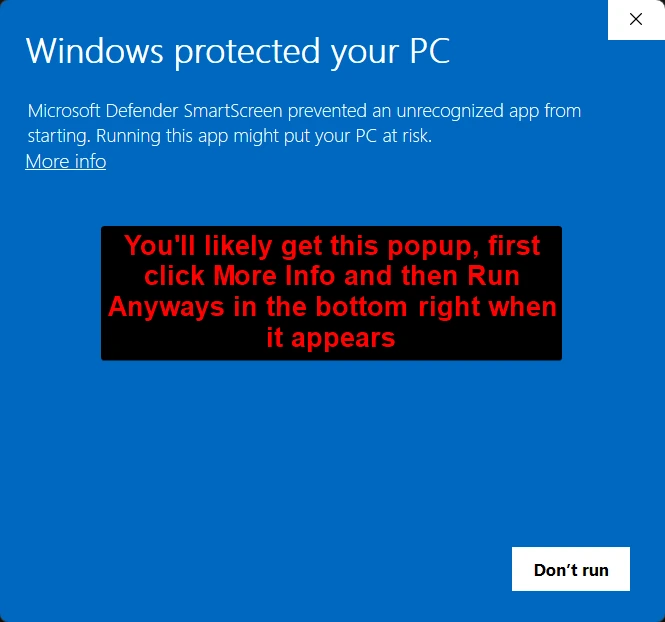
LoadWhenupyouyourtryRunelitetousingrun theRuneLiteGanomSoftwarejarfileLauncher Setup file, you'll get this popup. Click "More Info" and then in the bottom right, click "Runelite-Release"Runfolder.anyways"Goaftertoityourappears
Step 4.5
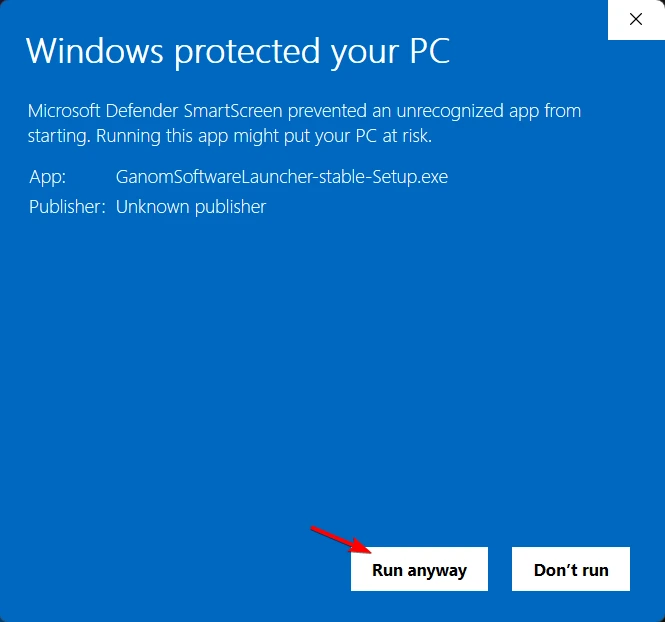
- This is a continuation of Step 4, click "Run anyways" and
search for "Gsoft" to findtheGsoftGanomSoftwareUpdater!Launcher will install
Step 5

GoAfterintoyou've installed theGsoftGanomSoftwareUpdater's configLauncher andpasteit(control-vopens,on Windows or command-v on Mac) your License from the website intoclick the "APISignKey"in"field,buttonthenandreloadlogin with yourclient!Discord account that you've purchased with
Step 6 (Done)
If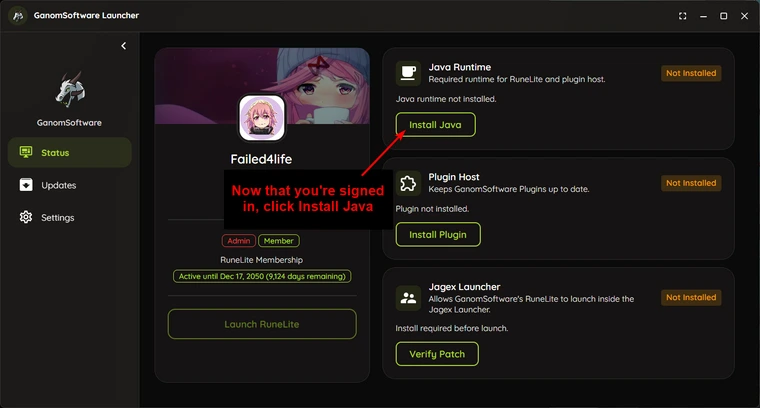
- Once you're logged in, click the Install Java button to install Java 11. Java 11 is required to use our RuneLite plugins
Step 7

- Next, click the "Install Plugin" button to install our GanomSoftware plugins
Step 7.5 (Jagex Launcher/Optional)
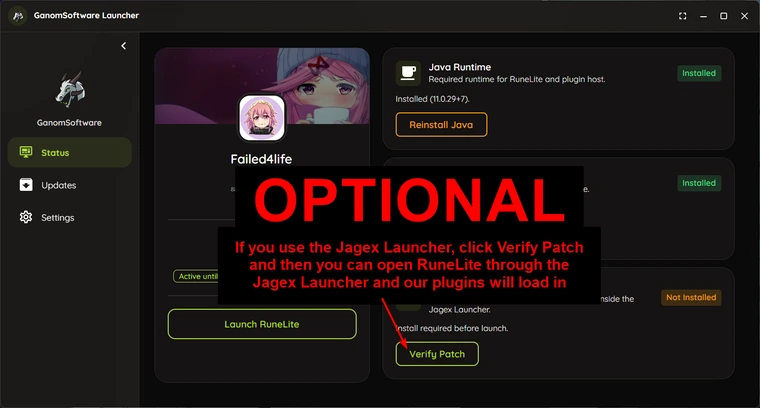
- This step is Optional, if you use the Jagex Launcher,
makeclicksure"Verifyyou have fully followed this Picture Guide first, then goPatch" toour Support Server and type/launcherfor the guide on how to usemake our plugins work with the Jagex Launcher. Then you can open RuneLite through the Jagex Launcher and our plugins will load in
Step 8 (No Jagex Launcher)
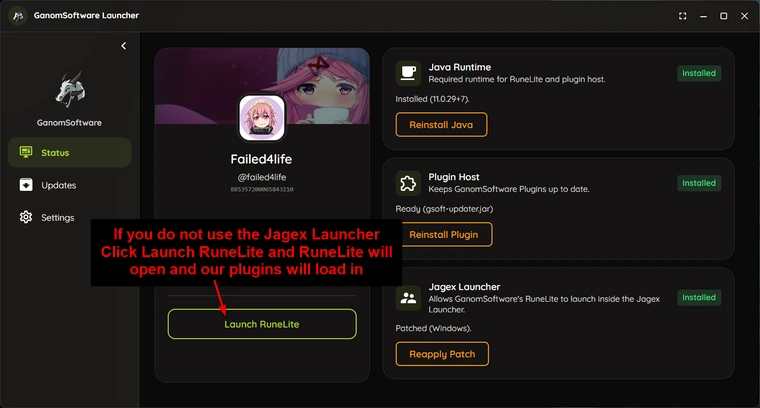
- If
everythingyouwasdodonenotcorrectly,use thepluginsJagex Launcher, click the "Launch RuneLite" button to open RuneLite and our Plugins willappearloadnear the top of your plugin list!in
Step 9 (Done/Optional)
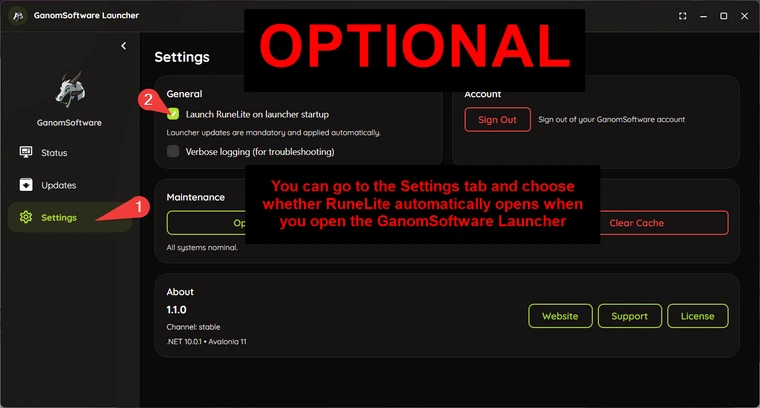
- After the first setup, by default, RuneLite will automatically open when you open the GanomSoftware Launcher. If you do not want this, you can go into the Settings tab on the Left and then uncheck "Launch RuneLite on launcher startup". If you use the Jagex Launcher to play, I'd definitely recommend turning this setting off